Download .NET Framework
Alert: The .NET framework connector is required. If you do not have the required .NET 4.7.2 pre-installed, you will be prompted to download this prerequisite from Microsoft. We provide an alert and link to the appropriate download page depending on the Windows operating system you are running. The program will not launch until .NET 4.7.2 is installed.
On the Website:
- Log in to your Find IT Easy Member Account.
-
Click to select the Software Downloads tab. A list of product releases and optional connectors will appear.
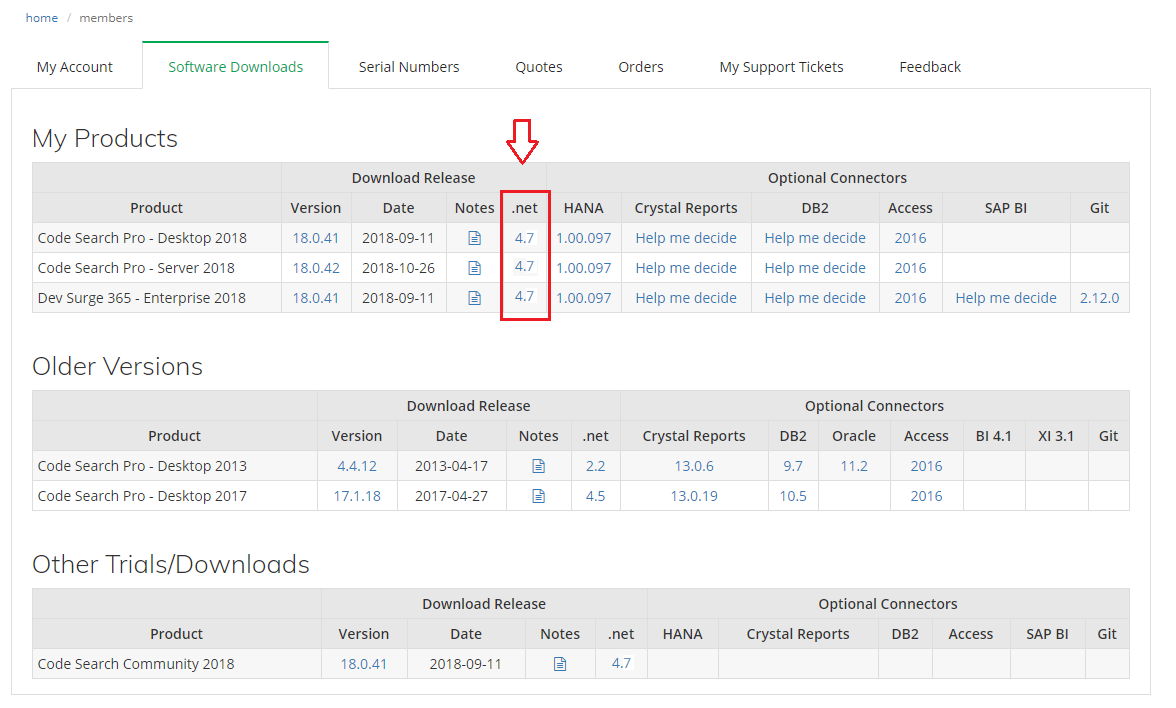
- Locate the product release for which you want to download the .NET framework.
-
In the .net column, click on the corresponding .NET version number. A Microsoft.NET Framework dialog box will appear.
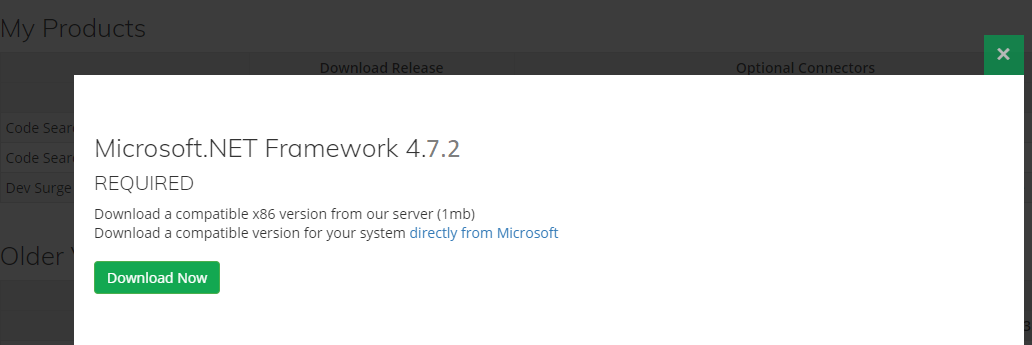
- To download the selected version from the Find IT Easy server, click on the button. OR
- To download the selected version directly from Microsoft, click on the directly from Microsoft link.
-
To close the Microsoft.NET Framework dialog box, click on the Close or button.